
How Can We Help?
Search for answers or browse our knowledge base.
-
Playbooks
-
Booking Engine
-
Marketing Tools
- Articles coming soon
-
Website Admin
-
Revenue Optimization
-
Setup
-
Contacts
- Articles coming soon
Adding Golf Members
Created On
Last Updated On
byGolfBack
0 out of 5 stars
| 5 Stars | 0% | |
| 4 Stars | 0% | |
| 3 Stars | 0% | |
| 2 Stars | 0% | |
| 1 Stars | 0% |
You are here:
< All Topics
Adding a new member to GolfBack
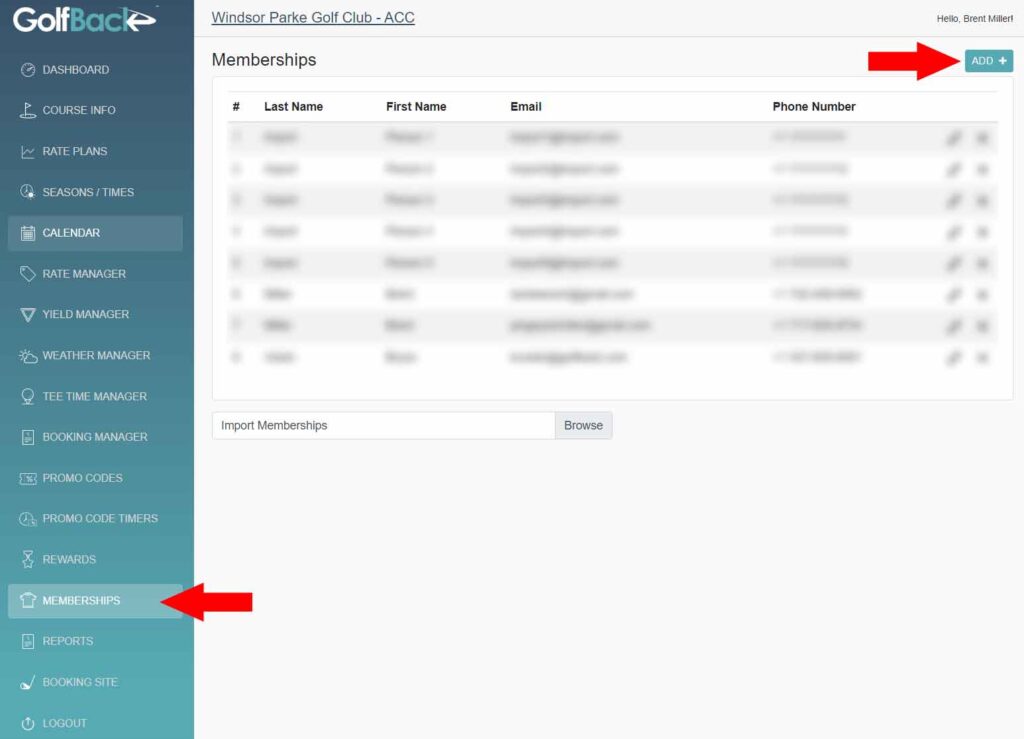
- Sign into your GolfBack Admin Portal → https://courseadmin.golfback.com
- Select Membership from the left navigation pane
- Select the “Add +” button found at the top right of the screen
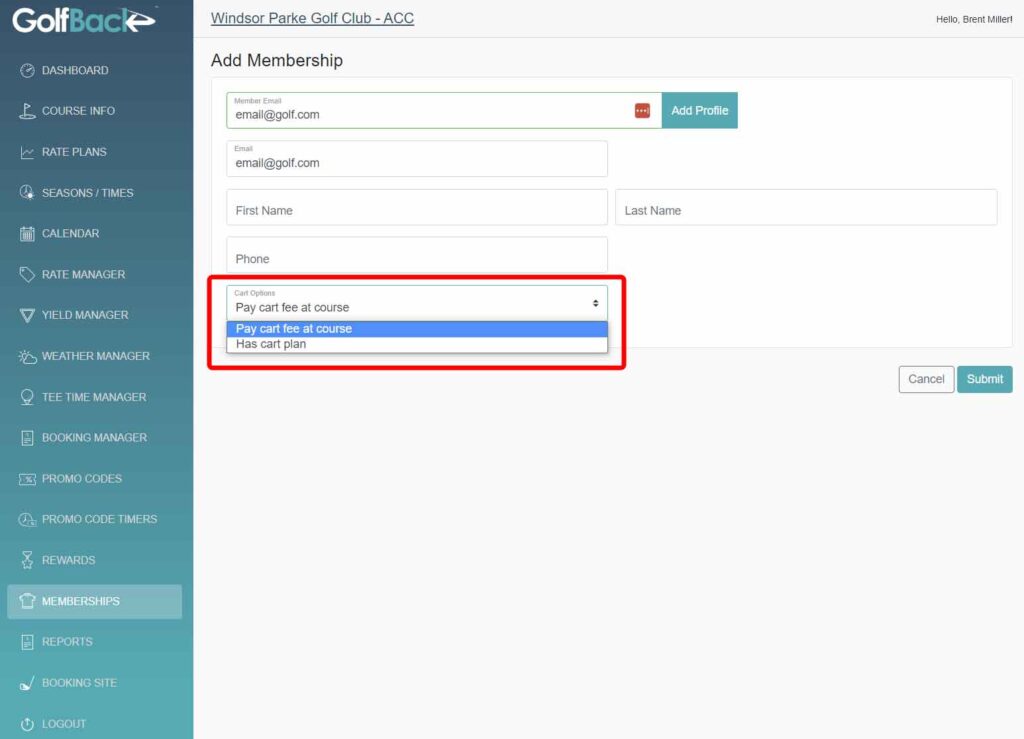
- Fill in all the information for the member
- !!!Select whether the member has a cart plan or the pay at the course!!!
– This will determine what price the member sees when they view the inventory at their Home Course - Select “Submit”
Was this article helpful?
0 out of 5 stars
| 5 Stars | 0% | |
| 4 Stars | 0% | |
| 3 Stars | 0% | |
| 2 Stars | 0% | |
| 1 Stars | 0% |
5
Tags:
Table of Contents
